 Who Sent It?
WhatsApp group games
WhatsApp has features most chat games ignore: polls, voice notes, Status and chat export. These games use them, with rules you can copy straight into your group.
Games using WhatsApp polls
Polls count votes for you, which makes them perfect for big groups.
- Most likely to: list the group members as options and ask "Most likely to forget their own birthday?".
- This or that: two options, fast decisions: "Suya or shawarma?"
- Prediction league: before a match or a reality-show finale, everyone votes on the result.
- Plan the hangout: not strictly a game, but voting on the place and date ends endless debates.
Voice note games
- Hum the song: hum a tune in a voice note; first to name it wins.
- Accent challenge: everyone reads the same sentence in a different accent.
- Guess the sound: record a household sound (a kettle, keys, a blender) and let people guess.
Status games
- Reply with an emoji: post a question on your Status and reply privately to everyone who reacts.
- Photo theme day: the whole group posts one photo on a theme to their Status.
- Guess the view: post the view from where you are; friends guess the place.
Rules you can paste
Copy any of these into your group to start a game in seconds:
- 🎮 Emoji quiz! I'll post a movie in emoji. First correct answer posts the next one. No Googling 👀
- 🤥 Two truths and a lie: I'll post 3 things about me, you guess the lie. Winner goes next.
- 🎵 Finish the lyric: I post the first line, you finish it. Wrong answers are allowed and encouraged.
- 📸 Photo challenge: by 9 pm, post a photo of something yellow. Best one picks tomorrow's theme.
For hundreds more prompts, see fun questions to ask friends.
A quiz made from your WhatsApp chat
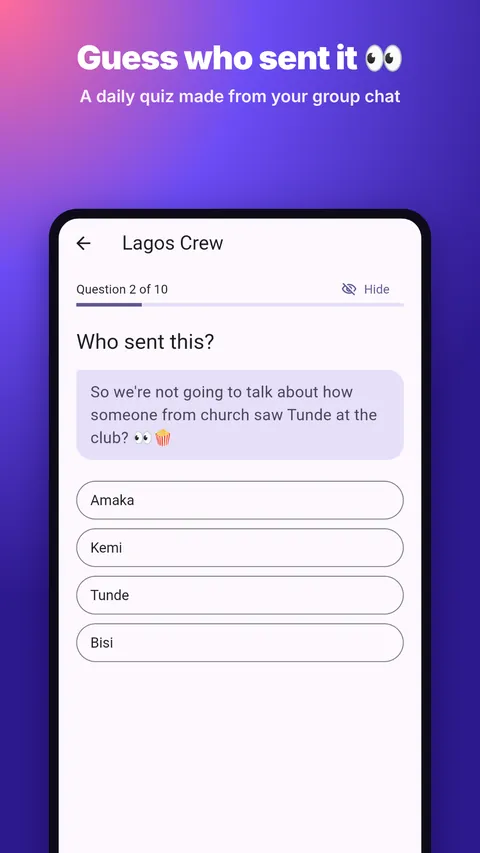
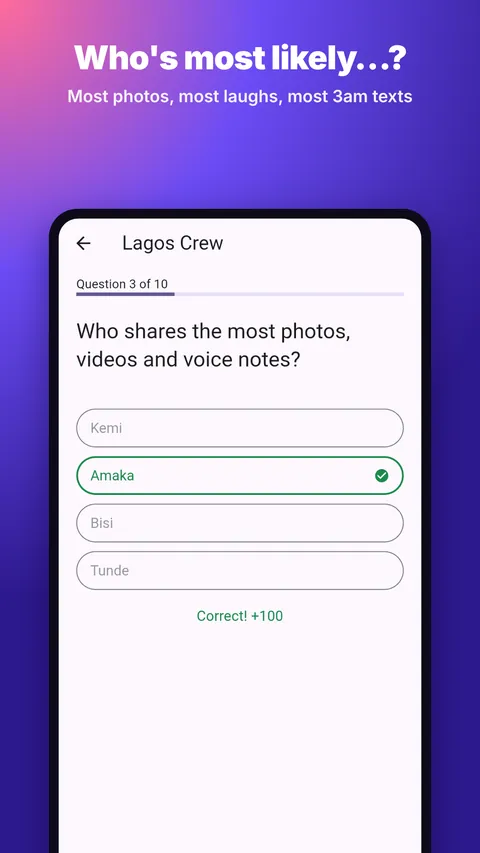
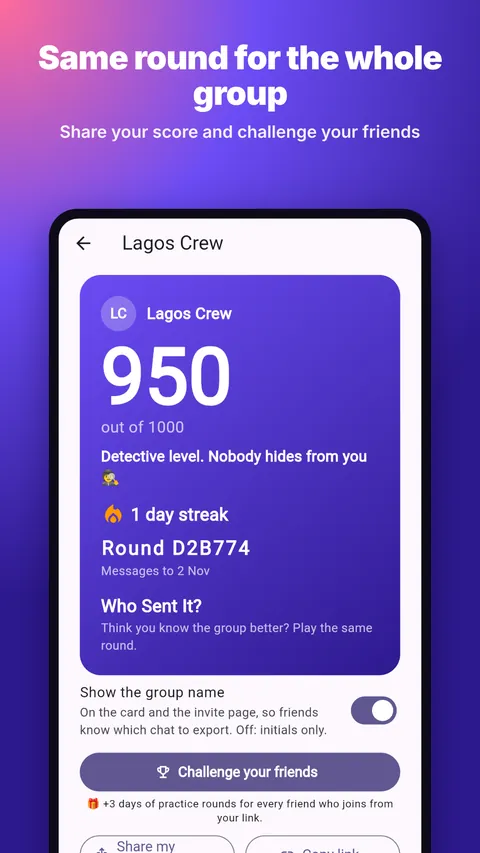
Who Sent It? is a free daily quiz made from your own WhatsApp group chat. You export the chat (WhatsApp has a built-in option for this), choose the file in the game, and get 10 quick questions: who sent this message?, when was it sent? and who is most likely to…?, answered from what your group really says. Everyone in the group gets the same round each day, so you can compare scores, and friends can play your round straight from the link you share. The chat is read on your own phone or in your browser and is never uploaded to our servers.
How to start (about a minute)
- In WhatsApp, open the group, then tap ⋮ (top right) → More → Export chat → Without media. On an iPhone, tap the group name, scroll down and choose Export Chat.
- On Android with the app installed, choose Who Sent It? in the share sheet. On the web, save the file and choose it in the game.
- Play today's round, then share your score in the group. Friends can play your round straight from the link.
Prefer a video? Watch the 30-second walkthrough.
Tips for group admins
- Pick a regular slot: "Friday quiz night" becomes a habit; random games fade.
- Keep it kind: skip games that single out someone who isn't enjoying it.
- Mind privacy: never repost private messages or photos outside the group, and hide anything sensitive. In Who Sent It? you can hide any message forever with one tap.
- Announce winners: a pinned "champion of the week" message keeps people playing.
Frequently asked questions
What games can you play on WhatsApp?
Polls (most likely to, this or that), emoji quizzes, two truths and a lie, finish the lyric, voice note games, Status challenges, and Who Sent It?, a daily quiz made from your exported WhatsApp group chat.
Is it safe to export a WhatsApp chat for a game?
The export is a text file you control. Who Sent It? reads it on your phone or in your browser and never uploads it to our servers. Exporting "Without media" keeps the file small.
Why does Export chat not appear in my group?
If the group has "Advanced chat privacy" turned on, WhatsApp blocks exports. A group admin can turn it off in the group info screen.
Is Who Sent It? made by WhatsApp?
No. Who Sent It? is an independent game and is not affiliated with or endorsed by WhatsApp or Meta.